前序文章:
IDEA(2020版)实现Servlet程序 – 每天进步一点点
IDEA(2020版)实现Servlet的生命周期 – 每天进步一点点
IDEA(2020版)实现ServletConfig和ServletContext – 每天进步一点点
本文主要介绍在IDEA中实现HttpServletResponse对象
本节源代码:https://box356.lanzoub.com/ioORx2rv2f4h
1.发送响应消息体相关方法
右击src,选择New—>Create New Servlet
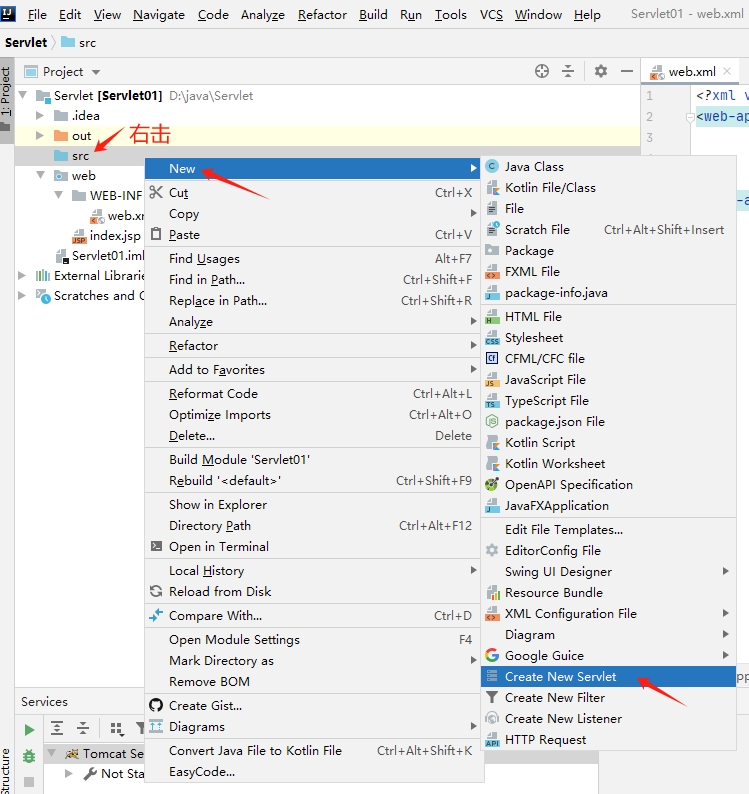
名称定为TestServlet4_10,代码参考如下:
import javax.servlet.ServletException;
import javax.servlet.annotation.WebServlet;
import javax.servlet.http.HttpServlet;
import javax.servlet.http.HttpServletRequest;
import javax.servlet.http.HttpServletResponse;
import java.io.IOException;
import java.io.OutputStream;
import java.io.PrintWriter;

@WebServlet(name = "TestServlet4_10",value = "/test410")
public class TestServlet4_10 extends HttpServlet {
    public void doGet(HttpServletRequest request, HttpServletResponse response)throws ServletException, IOException {
        String data = "itcast";
        // 获取字节输出流对象
        OutputStream out = response.getOutputStream();
        out.write(data.getBytes());// 输出字节信息
        System.out.println(data.getBytes());
        // 获取字符输出流对象
        PrintWriter print = response.getWriter();
        print.write(data); // 输出信息

    }
    public void doPost(HttpServletRequest request,
                       HttpServletResponse response)throws ServletException, IOException {
        doGet(request, response);
    }
}
创建之后是这样:
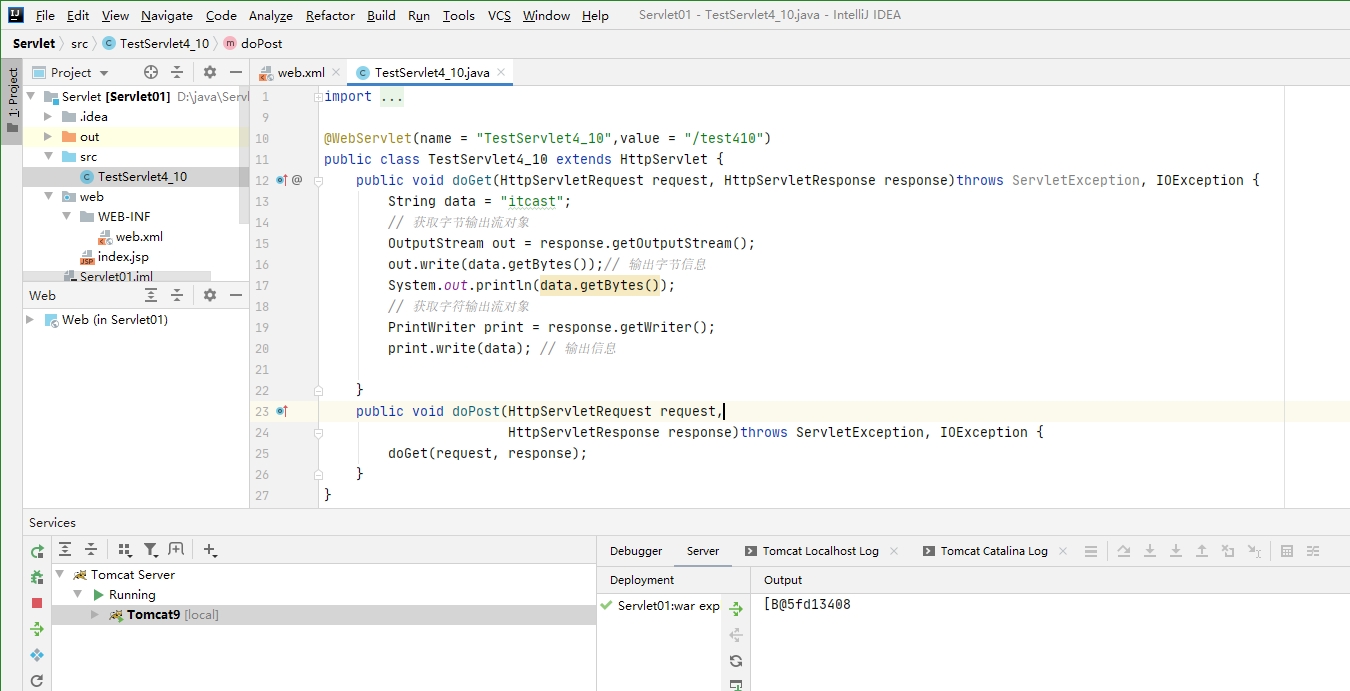
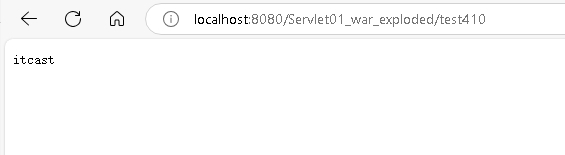
在浏览器里输入
http://localhost:8080/Servlet01_war_exploded/test410效果如下:
2.实现重定向
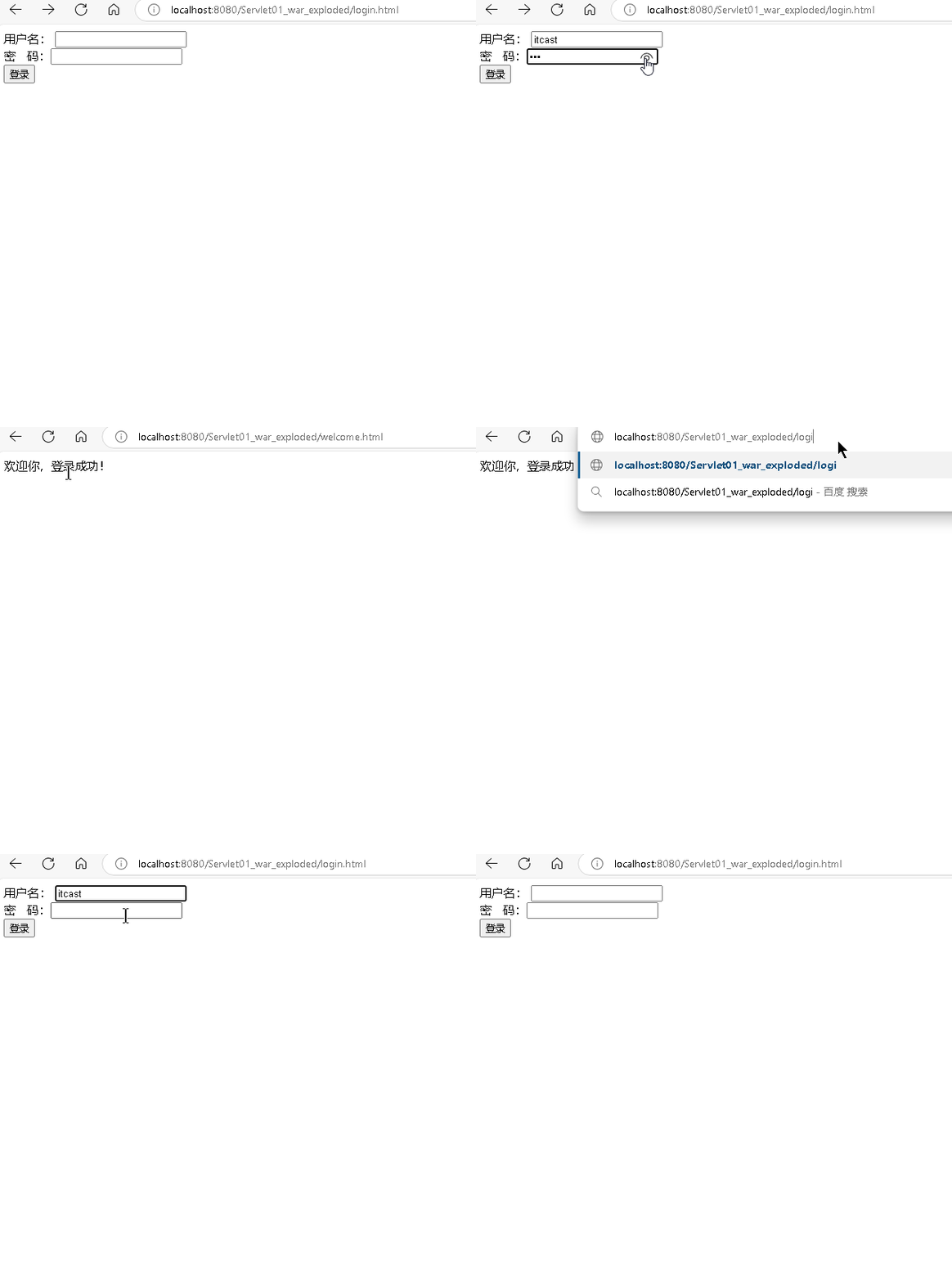
大概逻辑,编写两个网页login.html和welcome.html,然后编写一个登录接口,如果登录成功跳转到welcome.html
右击 web—>New—>HTML file,名称暂定为login
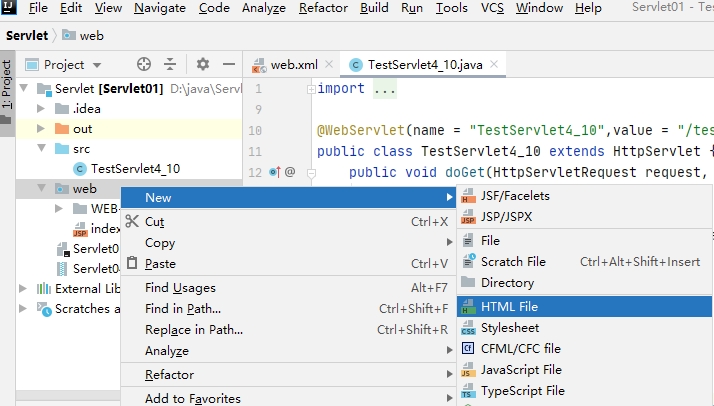
代码参考如下:
(请注意代码中 action的地址 这是请求后台的地址,要和servlet对应上)
<!DOCTYPE html PUBLIC "-//W3C//DTD HTML 4.01 Transitional//EN"
"http://www.w3.org/TR/html4/loose.dtd">
<html>
<head>
<meta http-equiv="Content-Type" content="text/html; charset=UTF-8">
<title>Insert title here</title>
</head>
<body>
<form action="/chapter04/LoginServlet" method="post">
用户名: <input type="text" name="username" /><br />
密 码:<input type="password" name="password"/><br />
<input type="submit" value="登录" />
</form>
</body>
</html>
再创建一个welcome.html,代码参考如下:
<!DOCTYPE html PUBLIC "-//W3C//DTD HTML 4.01 Transitional//EN"
        "http://www.w3.org/TR/html4/loose.dtd">
<html>
<head>
    <meta http-equiv="Content-Type" content="text/html; charset=UTF-8">
    <title>Insert title here</title>
</head>
<body>
欢迎你,登录成功!
</body>
</html>
然后再右击src—>New—>Create New Servlet,名字就为 LoginServlet
代码参考如下:
import javax.servlet.ServletException;
import javax.servlet.annotation.WebServlet;
import javax.servlet.http.HttpServlet;
import javax.servlet.http.HttpServletRequest;
import javax.servlet.http.HttpServletResponse;
import java.io.IOException;

@WebServlet(name = "LoginServlet",value = "/LoginServlet")
public class LoginServlet extends HttpServlet {
    public void doGet(HttpServletRequest request,
                      HttpServletResponse response)throws ServletException, IOException {
        response.setContentType("text/html;charset=UTF-8");
        // 用HttpServletRequest对象的getParameter()方法获取用户名和密码
        String username = request.getParameter("username");
        String password = request.getParameter("password");
        // 假设用户名和密码分别为:itcast和123
        if ("itcast".equals(username) &&"123".equals(password)) {
            // 如果用户名和密码正确,重定向到 welcome.html
            response.sendRedirect("/Servlet01_war_exploded/welcome.html");
        } else {
            // 如果用户名和密码错误,重定向到login.html
            response.sendRedirect("/Servlet01_war_exploded/login.html");
        }
    }
    public void doPost(HttpServletRequest request,
                       HttpServletResponse response)throws ServletException, IOException {
        doGet(request, response);
    }
}
我们在浏览器里输入下面的网址:
http://localhost:8080/Servlet01_war_exploded/login.html实习的效果如下:
3.解决中文乱码问题
实际上加上下面这行代码就搞定了。
response.setContentType("text/html;charset=utf-8");右击src—>New—>Create New Servlet,名字为TestServlet4_16
代码参考如下:
import javax.servlet.ServletException;
import javax.servlet.annotation.WebServlet;
import javax.servlet.http.HttpServlet;
import javax.servlet.http.HttpServletRequest;
import javax.servlet.http.HttpServletResponse;
import java.io.IOException;
import java.io.PrintWriter;

@WebServlet(name = "TestServlet4_16",value = "/test416")
public class TestServlet4_16 extends HttpServlet {
    public void doGet(HttpServletRequest request,
                      HttpServletResponse response)throws ServletException, IOException {

        //设置字符编码
        response.setContentType("text/html;charset=utf-8");
        String data = "中国";
        PrintWriter out = response.getWriter();
        out.println(data);
    }
    public void doPost(HttpServletRequest request,
                       HttpServletResponse response)throws ServletException, IOException {
        doGet(request, response);
    }
}
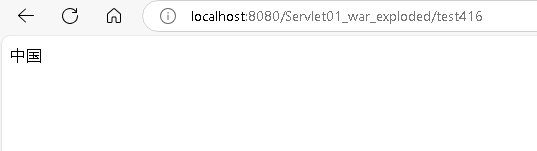
在浏览器里输入下面的地址:
http://localhost:8080/Servlet01_war_exploded/test416实习效果如下: